8 Markets Portal
The design is in progress for this change and AEMO provides more details as these are finalised.
SSC introduces a new screen for Security Deposit Energy Rules Terms Management to allow the FRMPs to identify the provision, application and rollover of security deposit amounts. The security deposit amounts are inputs to the Billing systems.
8.1 User access rights
To access the new interface within the Markets Portal Web applications for registered participants only. Requires access to MarketNet., make sure you have the following user rights entity:
Participant Administrators (PAs) authorise Participant User A Participant ID's users created and maintained by the Markets Portal PA in the URM. access in MSATS Market Settlement and Transfer Solutions. The procedures published by AEMO under clause 7.2.8 of the National Electricity Rules, which include those governing the recording of financial responsibility for energy flows at a connection point, the transfer of that responsibility between market participants, and the recording of energy flows at a connection point.. The initial PA Participant Administrator. Super-users who manage and perform system administration tasks for their own organisation’s participant users. is set up by the AEMO Australian Energy Market Operator system administrator as part of the registration process.
The PA needs to tick the following rights to allow access to the Security service management interface in the Markets Portal:
|
Function |
Access rights |
|---|---|
| Read |
Allows user to only view relevant information. |
|
All |
Allows user to read and edit. |
8.2 Access the new cash dashboard
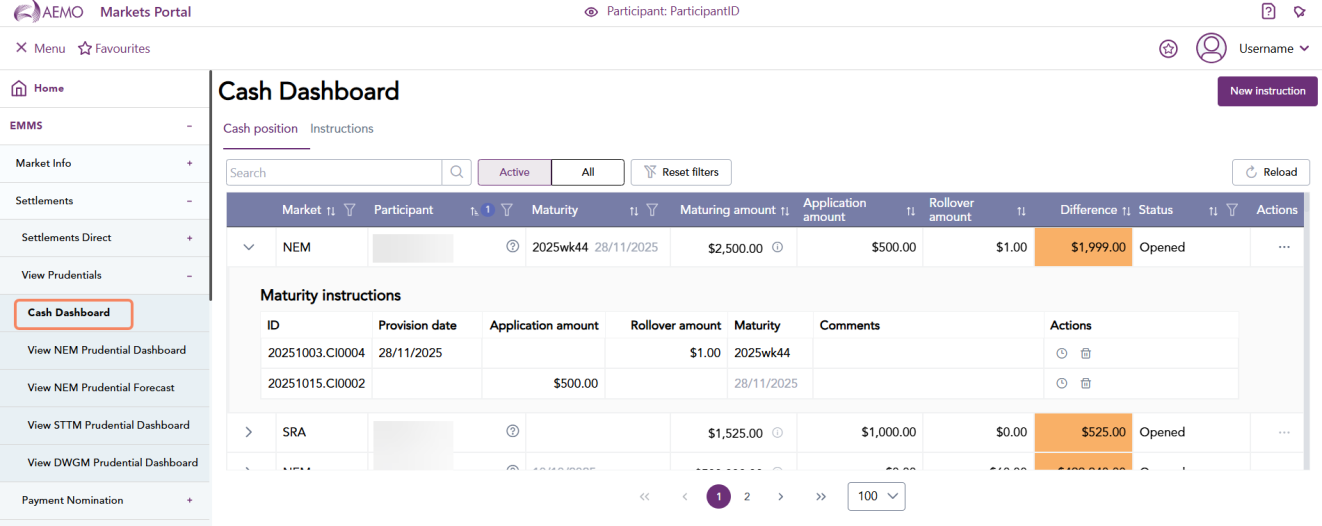
You can now navigate to a new menu item for cash dashboard under EMMS > Settlements > View Prudentials > Cash Dashboard.
8.3 Using the cash dashboard
8.3.1 Cash position
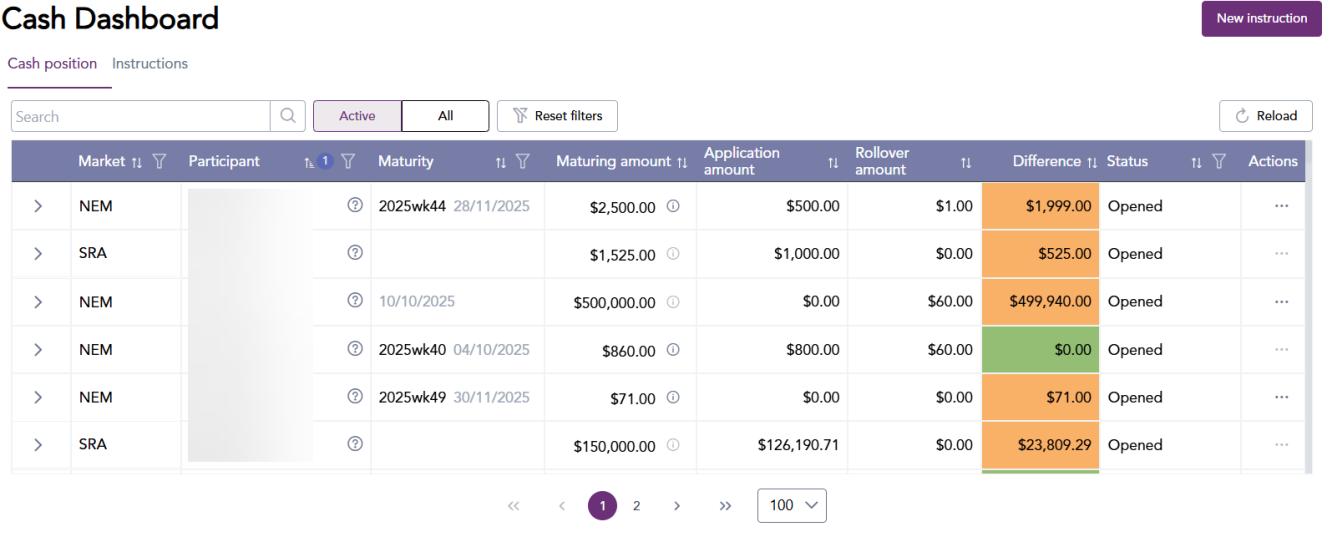
In the cash dashboard menu, you can view the cash position and instructions. Cash position displays a participants current position.
Click the down arrow to view the maturity instructions for each row.
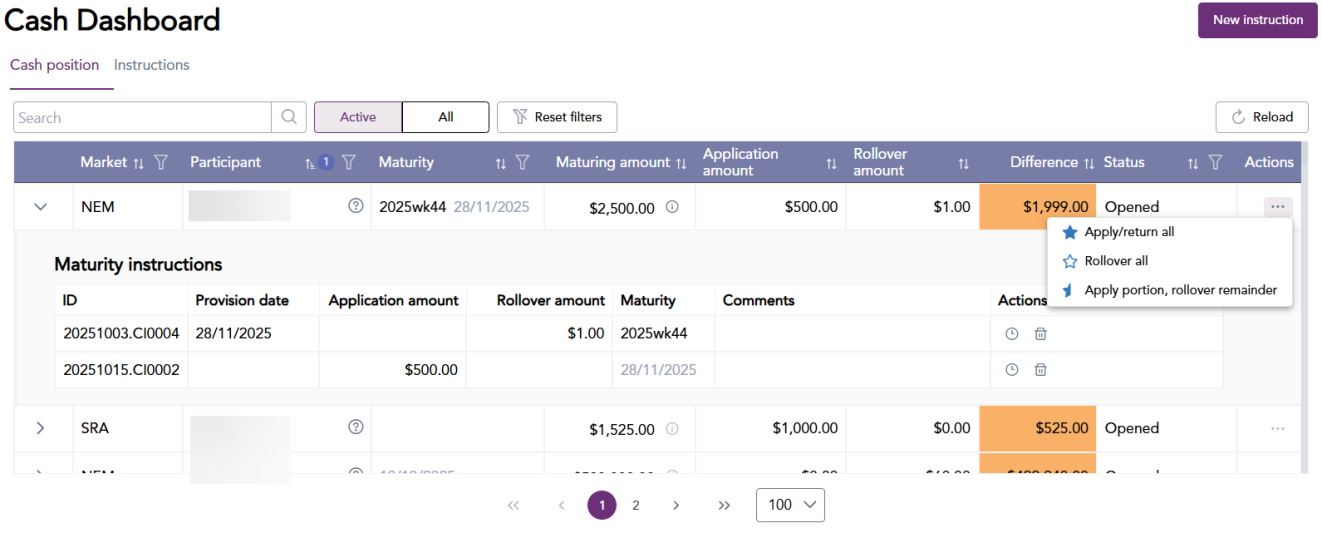
The new cash dashboard also allows participants to submit new cash instructions to the Prudential team using the instruction tab. You can also roll over or request the return of the cash deposits.
8.3.2 Cash instructions
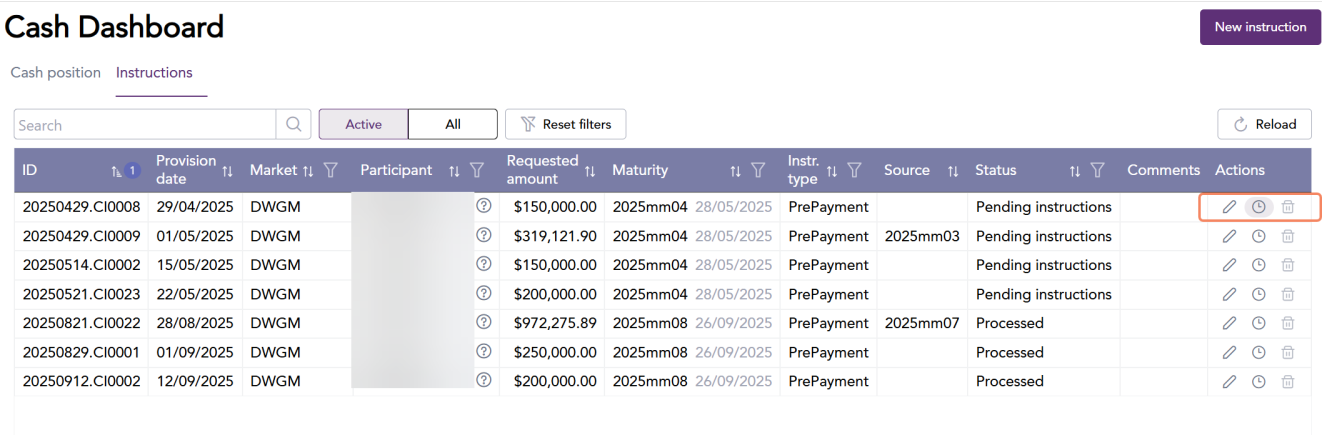
You can view cash instructions. You can also search and filter for active or all instructions.
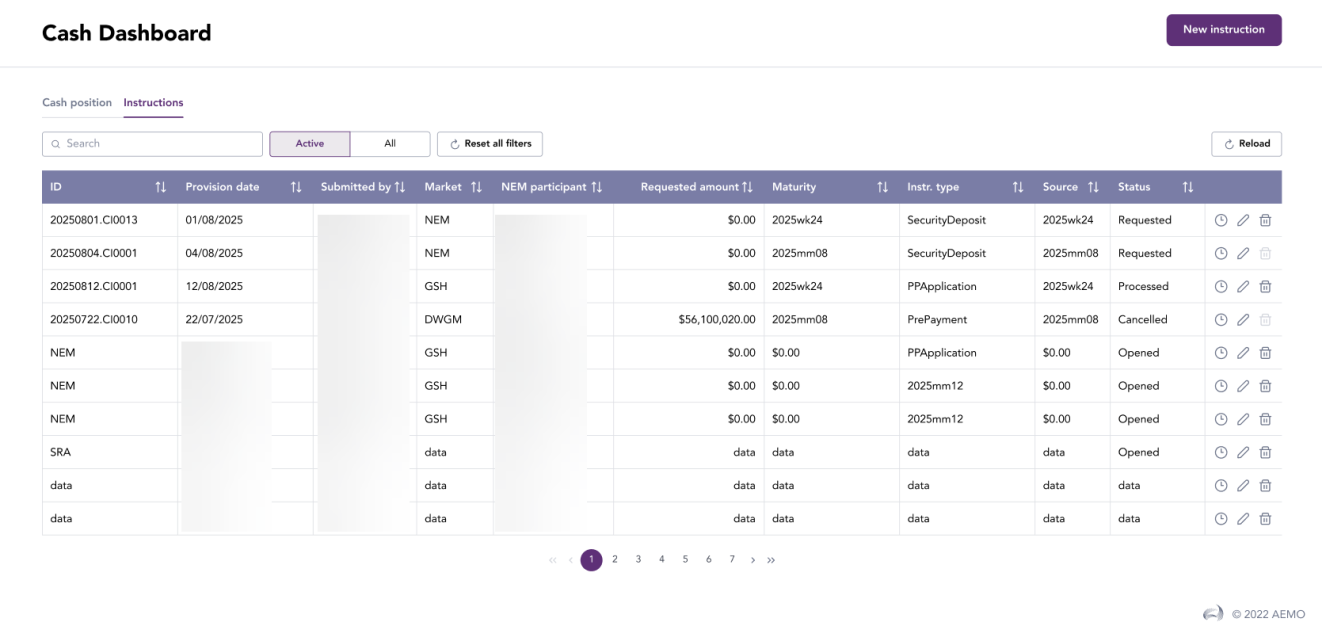
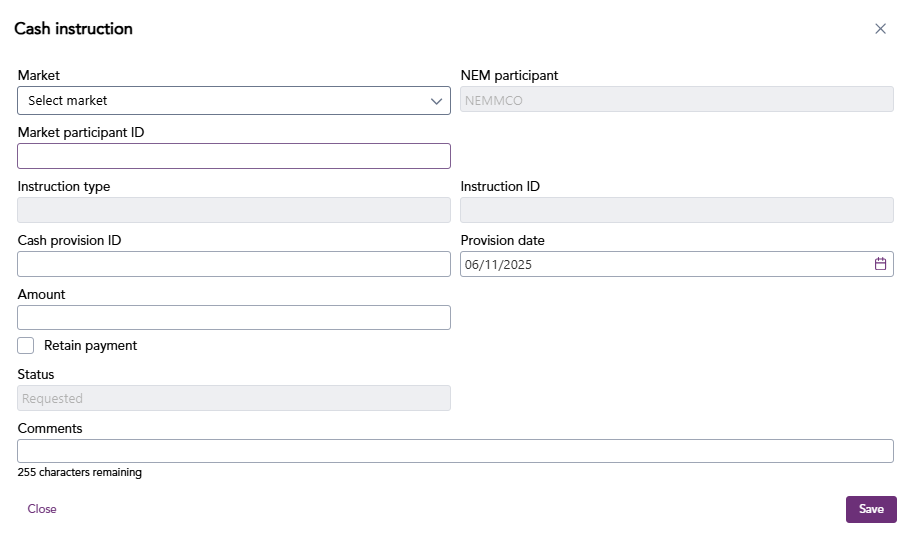
Click new instruction and provide the following details to create a new instruction.
You can also edit, view version history, delete an instruction using the icons highlighted below.